
How To Change the Battery in a Mercedes-Benz Key Fob
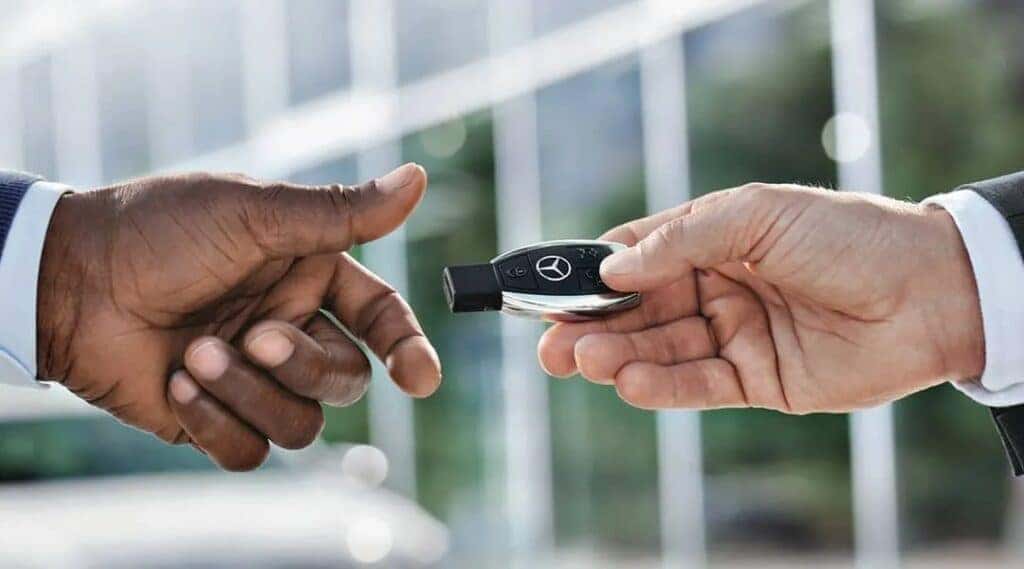
When your Mercedes-Benz key fob stops responding, it can be frustrating. Luckily, replacing a Mercedes-Benz key fob battery is a quick and easy process that saves time and keeps you on the road. We’ll walk you through the process step by step while highlighting when you might need professional assistance, whether you’re dealing with an older SmartKey or the newer Chrome SmartKey.
Step-By-Step Guide: Replacing the Battery in Your Mercedes-Benz Key Fob
Gather the right tools and the correct battery before you begin replacing your Mercedes-Benz key fob battery. Most Mercedes key fobs use a CR2032 or CR2025 battery, depending on the model. Follow these simple steps to perform your Mercedes car key battery replacement:
- Identify your key fob type: A SmartKey typically belongs with an older Mercedes model, while a Chrome SmartKey is a sleeker, newer version with a more modern design.
- Gather your tools: You’ll need a replacement CR2032 or CR2025 battery; choose a high-quality brand such as Panasonic or Energizer for better longevity. You’ll also need a small flathead screwdriver or key tool (optional, depending on your key fob type).
- Open the key fob: For the SmartKey, you’ll pull the mechanical key blade from the key fob by pressing the release button, then insert the key blade into the slot to pop open the battery compartment. The Chrome SmartKey opens by pressing the small silver release button to slide out the mechanical key, then use the mechanical key to unlock the battery compartment.
- Remove the old battery: Carefully remove the old battery using a screwdriver or your fingernail. Note the battery orientation (positive side facing up or down).
- Insert the new battery: Place the new battery into the slot, ensuring it’s correctly oriented, and press it gently into place.
- Reassemble the key fob: Snap the battery cover back into position and reinsert the mechanical key blade.
- Test the key fob: Stand near your Mercedes-Benz vehicle and press any button on the key fob. If it works, you’ve completed the Mercedes key fob battery replacement. If not, consider checking the battery installation or moving closer to the vehicle.
Signs It’s Time To Replace Your Mercedes-Benz Key Fob Battery
If you’re unsure whether it’s time to replace the battery, look for these warning signs:
- The key fob’s range is significantly reduced.
- The Mercedes-Benz dashboard displays a replace battery warning.
- The key fob works intermittently or only when extremely close to the vehicle.
- The vehicle fails to recognize the key fob during push-to-start ignition.
Mercedes Key Fob Battery Replacement Cost
One of the most common concerns is the cost of replacing a Mercedes key battery. The good news is that replacing a Mercedes key fob battery is inexpensive. A high-quality CR2032 or CR2025 battery typically costs between $5 and $15. If you opt for professional replacement, labor charges may add a nominal fee, depending on the dealership or service center.
When To Seek Professional Help With Your Key Fob
While replacing a Mercedes key fob battery is relatively straightforward, there are instances where professional help may be necessary:
- The key fob still doesn’t work after battery replacement.
- Dashboard replace battery warnings appear intermittently after installing a fresh battery.
- The key fob was exposed to moisture or physical damage.
- The key fob must be reprogrammed to communicate with your vehicle.
If any of these issues occur, it’s best to visit our Mercedes-Benz of Hoffman Estates service center. Our trained technicians can diagnose the problem and ensure your key fob functions properly.
Tips To Prolong Mercedes-Benz Key Fob Battery Life
Consider these tips to extend the battery life of your Mercedes key fob:
- Avoid storing the key fob near other items that may accidentally press the buttons.
- Keep the key fob in a cool, dry place to avoid moisture damage.
- Use high-quality batteries from reputable brands to ensure longevity.
- Replace the batteries in both key fobs simultaneously to prevent inconsistencies.
- Disable the keyless entry function (if it’s not used regularly) to preserve battery life.
FAQ
Mercedes-Benz owners often have questions about key fob battery replacements. Below are a few of the most frequently asked.
How Often Should I Replace My Key Fob Battery?
Most batteries last six months to one year, depending on use and storage conditions.
What Happens if I Don’t Replace the Battery?
A dying battery can reduce functionality, limiting your ability to lock, unlock, or start the vehicle.
Can I Use a Generic Brand Battery?
High-quality brands are recommended to ensure optimal performance and avoid potential malfunctions.
Contact Mercedes-Benz of Hoffman Estates Today
Knowing how to change the battery in a Mercedes-Benz key fob empowers you to handle minor inconveniences without a trip to the dealership. Whether you have an older SmartKey or a newer Chrome SmartKey, the process is simple and cost-effective. However, if your key fob continues to malfunction even after replacing the battery, don’t hesitate to seek professional assistance from our Mercedes-Benz of Hoffman Estates service team. With expert care and service, you’ll be back on the road in no time. Call us at 847-885-7000 or complete our secure online form with any further questions.
0 comment(s) so far on How To Change the Battery in a Mercedes-Benz Key Fob